Your phone is hot. Not pleasantly warm, but hot enough that you notice it in your hand or through your pocket. Maybe the screen dimmed on its own, the camera refuses to open, charging stopped or a warning appeared telling you the phone needs to cool down. Right now, you don’t want a lecture about battery chemistry. You want to know how to cool your heated phone quickly and safely.
This guide is exactly that: a practical, step-by-step plan for cooling down a hot phone fast, without damaging it. We’ll cover what to do in the first minute, how to handle specific situations like a hot car, a gaming session or a phone that overheated while charging, the popular cooling tricks you should never use and how long it should take for your phone to return to normal.
If you want to understand the deeper causes of overheating and how to prevent it long term, we cover that in our guide to phone overheating causes and how to prevent them. Here, the focus is on cooling your phone right now.
📋 Table of Contents
- The 60-second emergency checklist
- Why gentle cooling is the right approach
- Step by step: how to cool a heated phone safely
- How to cool your phone in specific situations
- Cooling myths to avoid
- What about phone coolers?
- How hot is too hot?
- When overheating is a warning sign
- Frequently asked questions
- Final thoughts
Overheating is one of the most common phone problems, and it is especially frequent in warm climates, during summer and for people who use navigation, games or video calls a lot. The good news is that in most cases, a hot phone just needs a few minutes of the right care to return to normal, with no lasting harm.
The 60-second emergency checklist
If your phone is hot right now, do these things immediately, in this order:
- Stop using it. Close the game, video, camera or navigation app.
- Unplug it if it’s charging, wired or wireless.
- Take off the case.
- Move it out of the sun and away from any heat source.
- Put it down on a hard, cool surface, like a table or tiled floor, not a bed, sofa or your lap.
- Lock the screen or turn it off if it’s very hot.
That’s it for the first minute. These steps remove the main sources of heat and let your phone start shedding warmth naturally. Most phones start cooling noticeably within a few minutes.
If your phone shows an on-screen temperature warning, it has already reached its own safety limit. In that case, skip straight to turning it off and letting it rest. The warning will disappear on its own once the phone is cool enough, and you can then use it normally again.
Why gentle cooling is the right approach
It’s tempting to cool a hot phone as fast as possible, by putting it in the fridge, holding it under cold water or pressing an ice pack against it. Please don’t.
When a hot phone is cooled suddenly, moisture in the air can condense inside it, just like water droplets form on a cold glass on a summer day. That moisture can reach the circuit board and cause corrosion or short circuits, sometimes days later. Sudden temperature changes can also stress the battery, the screen and the adhesives that hold the phone together.
Your phone is designed to cool itself through its frame and glass. Your job is to help it do that, by removing heat sources and giving it air, not by shocking it with cold.
A useful way to think about it is the difference between a hot cup of coffee and a hot glass dish from the oven. You can let the coffee cool naturally on the table, and it will be fine. Plunge the hot glass dish into cold water, and it may crack. Phones are closer to the glass dish: they handle gradual cooling well but not sudden shocks.
Step by step: how to cool a heated phone safely
Step 1: Remove what’s generating heat
The processor, the screen, the radio and the charging circuit all generate heat. Closing demanding apps, unplugging the charger and turning off the screen stops the biggest sources at once.
Step 2: Remove what’s trapping heat
Cases, especially thick, rugged, leather or wallet cases, act like a jacket. Pockets, bags, blankets and pillows do the same. Take the phone out of its case and out of any enclosed space.
Step 3: Give it airflow
Place the phone on a hard surface in a well-ventilated room. A gentle breeze from a desk fan or an air conditioner helps a lot. You can also hold the phone in front of a fan for a few minutes. Moving air carries heat away far more safely than cold objects.
Step 4: Reduce what the phone is doing
Turn on Airplane Mode temporarily if you don’t need to be reachable. This stops the phone from working hard to maintain a mobile connection, which is especially helpful in areas with weak signal. Lower screen brightness when you turn the screen back on.
Step 5: Turn it off if it’s very hot
If the phone is uncomfortably hot or showing a temperature warning, power it off completely. With nothing running, it cools much faster. Wait at least 10 to 15 minutes before turning it back on.
Step 6: Wait, then check
Give the phone time. Most phones return to a comfortable temperature within 10 to 30 minutes. When it feels normal to the touch, turn it on or unlock it and see whether any warnings are gone.
If you are in a hurry and need to use your phone soon, focus on steps 1 to 3. Removing heat sources, removing the case and providing airflow do most of the work. Turning the phone off is the fastest option of all, but even leaving it locked on a table in front of a fan for five minutes usually makes a big difference.
Resist the urge to check the phone every minute. Every time you wake the screen, you add a little more heat. Set a timer for ten minutes, walk away and come back. It is one of the rare situations where doing less really is the best fix.
How to cool your phone in specific situations
In a hot car
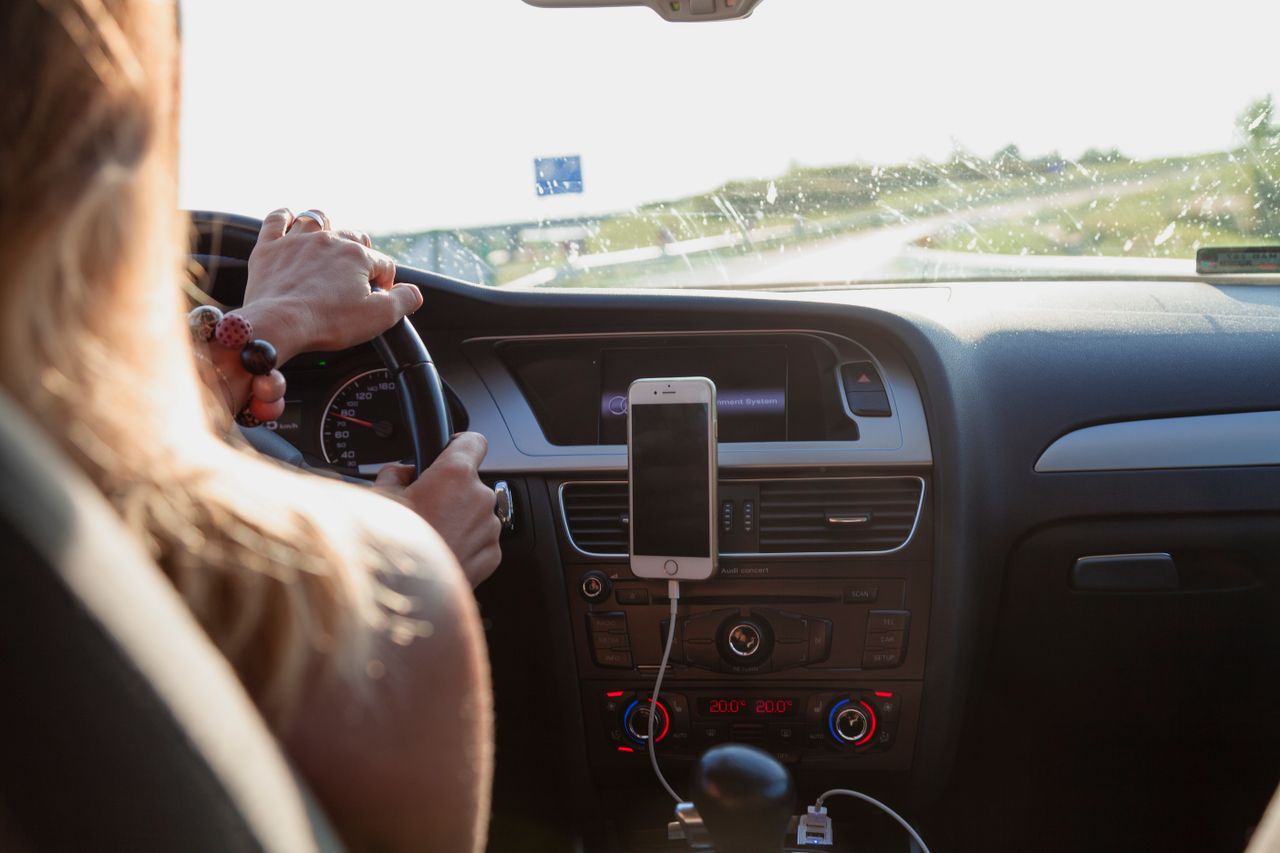
Cars heat up fast in the sun, and a phone on the dashboard can overheat quickly, especially while navigating and charging.
- Move the phone off the dashboard and out of direct sunlight.
- Point the air conditioning vents toward the phone, or use a vent mount so cool air flows over it.
- Stop charging until the phone cools down.
- Never leave your phone in a parked car on a hot day. Temperatures inside can rise to levels that damage batteries.
While charging
If your phone overheated while charging:
- Unplug it immediately.
- Remove the case and place it on a hard surface.
- Let it cool fully before charging again.
- Charge without using it, preferably with a quality wired charger, in a cool room.
- If it keeps getting very hot every time you charge, try a different charger and cable. If the problem continues, have the phone checked.
Wireless charging tends to produce more heat than wired charging, especially if the phone isn’t centered. If your phone overheats on a wireless pad, try wired charging for a while.
During gaming or video calls
Games and video calls push the processor, graphics and network hard at the same time.
- Take a break of 10 to 15 minutes.
- Remove the case during long sessions.
- Lower graphics settings or frame rate in games.
- Avoid playing while charging.
- Use Wi-Fi instead of mobile data where possible.
- Turn off the camera in video calls if you don’t need it.
Outdoors in the sun
- Move into the shade and keep the phone out of direct sunlight.
- Put it in a bag in the shade, not in a pocket close to your body.
- Avoid leaving it on beach towels, sand or car seats in the sun.
- Turn it off if it shows a temperature warning, and wait until you’re somewhere cooler.
In your pocket or bag
If your phone is hot while you’re not using it, something is running in the background.
- Take it out and let it cool on a table.
- Check battery usage in Settings, then Battery, to see which app is active.
- Restart the phone, which stops stuck processes.
- Update the problematic app or uninstall it if it keeps causing heat.
Different situations call for slightly different priorities, but the core principle is always the same: remove the heat source, remove the insulation and give the phone air. Once you understand that, you can handle situations not listed here, like a phone that overheats on a hot bus or in a crowded stadium.
Children and teenagers often play games or watch videos on phones and tablets for long stretches, sometimes under blankets or in bed. If you notice a family member phone getting hot, a quick reminder to take a break and keep the device on a hard surface can prevent a lot of overheating, and it is a good habit for their eyes and sleep too.
Working professionals who rely on their phone as a hotspot during the day also run into heat issues. Sharing your connection uses mobile data and Wi-Fi at the same time, which generates a lot of warmth. Keeping the phone plugged in with a cable in a shaded, airy spot, rather than in a pocket or bag, keeps it much cooler.
Cooling myths to avoid
- The fridge or freezer. Causes condensation inside the phone and can damage components.
- Ice packs or ice cubes. Same risk, plus melting water.
- Cold running water. Even water-resistant phones aren’t designed for temperature shock, and water can enter through worn seals.
- Blowing on the phone or breathing on it. Adds moisture.
- Wrapping it in a damp cloth. Moisture again.
- Cooling apps. Apps that claim to cool your phone usually just close other apps, which you can do yourself. Some add ads and background activity that make things worse.
- Putting it in front of an air conditioner set extremely cold for a long time. A gentle breeze is fine. Extreme cold air directly on a very hot phone for a long time isn’t necessary.
After your phone has cooled down, take a moment to think about what caused the heat. Was it the sun, the charger, a game or a background app? Fixing the cause means you will not have to go through the same cooling routine tomorrow. Our overheating causes guide goes deeper into prevention if this keeps happening.
What about phone coolers?
Clip-on phone coolers with fans, and sometimes small cooling plates, are popular with mobile gamers. They can help during long gaming sessions by moving heat away from the back of the phone. If you game for hours every day, a good quality cooler can make a noticeable difference.
Be cautious with coolers that get extremely cold, because they can cause condensation in humid environments. For everyday use, simply taking breaks and removing the case is usually enough.
If you game regularly, a cooler can be a worthwhile accessory, but check reviews for noise, build quality and how securely it clips onto your phone. A poorly designed clip can press on buttons or scratch the back of the phone, and a loud fan can be more annoying than the heat it removes.
If you do use a cooler, attach it before you start gaming rather than after the phone is already very hot. Coolers are better at preventing heat buildup than at rescuing a phone that has already reached its limit. Pair it with lower graphics settings for the best results.
How hot is too hot?
Phones are generally designed to work comfortably in typical room temperatures and can handle warmer conditions for limited periods. As a practical guide:
- Warm to the touch during gaming or charging is normal.
- Uncomfortable to hold means you should stop and let it cool.
- A temperature warning on screen means it has reached its safety limit and needs to cool before you continue.
Trust the warnings. They’re there to protect the battery and components.
It also helps to know your own phone. Some models naturally run warmer than others, especially thin flagship phones with powerful processors. If your phone has always felt warm during gaming, that is likely its normal behavior. What matters is a change from normal, such as getting hot during simple tasks it used to handle comfortably.
Ambient temperature matters too. A phone used in an air-conditioned room can handle heavy tasks much longer before getting hot than the same phone used outdoors on a summer afternoon. If you know you will be in a hot environment, plan lighter phone use or download content in advance so the phone does less work.
When overheating is a warning sign
Get your phone checked by an authorized service provider if:
- It overheats often while idle, even after restarts and updates.
- It gets very hot during normal charging with a quality charger.
- The screen or back is bulging or lifting, which can indicate a swollen battery.
- You notice a burning smell or visible damage.
- It shuts down repeatedly because of heat in normal conditions.
A swollen battery is a safety risk. Stop using and charging the phone and get it inspected.
If your phone overheats once in a while during heavy use, that is normal and nothing to worry about. If it overheats almost every day during light use, treat it as a sign that something needs attention, whether it is an app, a charger, the battery or the environment where you use and charge your phone.
Frequently asked questions
How long does it take for a hot phone to cool down?
Usually 10 to 30 minutes after you stop using it, unplug it, remove the case and move it somewhere cool. Turning it off speeds things up.
Can I put my phone in the fridge to cool it down?
No. Rapid cooling can cause condensation inside the phone, which may damage it. Use airflow and patience instead.
Is it safe to use my phone while it’s hot?
Light use is usually fine once it’s warm rather than hot. If it’s uncomfortable to hold or shows a warning, stop and let it cool first.
Why does my phone get hot when charging?
Charging generates heat, especially fast and wireless charging. Using the phone while charging, a thick case or a warm environment adds more.
Does overheating damage the battery?
Occasional heat is managed by your phone’s protections. Frequent or extreme heat can speed up battery aging over time.
Why is my phone hot when I’m not using it?
A background app, a software bug, weak signal or a sync process may be running. Check battery usage, restart the phone and update your apps.
A simple routine prevents most overheating: keep your phone out of direct sun, take the case off when charging or gaming, avoid heavy use while fast charging and give it short breaks during long sessions. These small habits mean you will rarely need the emergency checklist at the top of this guide.
Final thoughts
When your phone gets hot, the safest way to cool it is also the simplest: stop using it, unplug it, take off the case, move it to a cool spot with airflow and give it time. Skip the fridge, the ice and the cold water. Handle hot cars, charging and gaming sessions with a few smart habits, and if your phone overheats often for no clear reason, get it checked. With the right approach, your phone will be back to normal in minutes.