
Phones get warm. That’s normal. They pack powerful processors, bright screens and big batteries into a thin, sealed body with no fans. During gaming, video calls, navigation or fast charging, a bit of warmth is expected.
But there’s a difference between warm and hot. When your phone becomes uncomfortable to hold, shows a temperature warning, dims the screen on its own, stops charging or starts lagging badly, it’s overheating. And overheating isn’t just uncomfortable. It can slow your phone down, drain the battery faster and, over time, shorten the battery’s lifespan.
In this guide, we’ll explain why phones overheat, how to cool yours down safely right now, the mistakes to avoid and the habits that keep your phone from overheating in the first place. We’ll also cover the warning signs that mean you should get professional help.
📋 Table of Contents
The good news is that most overheating has simple, everyday causes, and your phone is designed to protect itself. With a few small changes in how and where you use and charge it, you can keep it cooler, faster and healthier for longer.
How phones manage heat
Unlike laptops, phones don’t have fans. They rely on their metal frames, internal heat spreaders and the surrounding air to dissipate heat. When temperatures rise, the phone protects itself in several ways:
- Throttling: reducing processor speed to generate less heat, which makes the phone feel slower.
- Dimming the screen automatically.
- Pausing or slowing charging to protect the battery.
- Limiting features like the camera flash or 5G.
- Showing a temperature warning and, in extreme cases, shutting down until it cools.
These protections are good. They prevent damage. But they’re also signs that your phone is working too hard or is in too hot an environment.
You may notice these protections without realizing what they are. If your game suddenly runs less smoothly after twenty minutes, or your screen gets dimmer during a sunny walk even though you did not touch the brightness, the phone is likely managing heat. It is a sign to give it a break rather than a sign of a fault.
Common causes of overheating
Heavy use
Demanding tasks generate a lot of heat: mobile games with advanced graphics, long video calls, recording 4K video, augmented reality apps and navigation with the screen at full brightness. Doing several of these at once, or for a long time, adds up quickly.
Charging
Charging generates heat, especially fast charging and wireless charging. Using the phone heavily while it charges, such as gaming while plugged in, combines two sources of heat at once.
Hot environments
Direct sunlight, hot cars, beaches and summer heat can push a phone over its limits even when you’re barely using it. A phone left on a car dashboard in summer can reach dangerous temperatures.
Thick or insulating cases
Some cases, especially thick, rugged or leather cases, trap heat against the phone and slow down cooling.
Weak signal
When cellular signal is poor, the phone’s radio works harder to stay connected, which generates heat and drains the battery. This often happens in buildings with poor reception, rural areas or while traveling.
Background apps and software bugs
An app stuck in a loop, a misbehaving background process or a bug after an update can keep the processor busy even when the screen is off. If your phone gets hot while sitting idle, software is a likely suspect.
Aging or damaged battery
As batteries age, they can become less efficient and generate more heat. A damaged or swollen battery can overheat and is a safety concern.
Often, several causes combine. A typical example is using navigation on a sunny summer afternoon, with the phone in a dashboard mount, charging from the car, with the screen at full brightness and a weak signal on a rural road. Each factor alone might be fine, but together they can push almost any phone into overheating territory.
A quick way to find your personal cause is to notice when the overheating happens. If it is always while charging, look at your charger, cable and charging habits. If it is during games, adjust the games. If it is in the car, change the mount position. If it happens when the phone is sitting untouched, investigate apps and software. Matching the timing to the cause saves a lot of guesswork.
How to cool down your phone right now
If your phone is overheating, here’s what to do:
- Stop what you’re doing. Close games, video apps, camera and navigation.
- Unplug it if it’s charging.
- Remove the case to let heat escape.
- Move it to a cooler place, out of direct sunlight, into the shade or an air-conditioned room.
- Turn down screen brightness or lock the screen.
- Turn on Airplane Mode temporarily if you don’t need connectivity, to reduce radio activity.
- Let it rest on a hard, cool surface like a table, not on a bed or couch, which trap heat.
- Turn it off if it’s very hot, and let it cool for several minutes.
Give it time. Most phones return to normal temperature within 10 to 30 minutes.
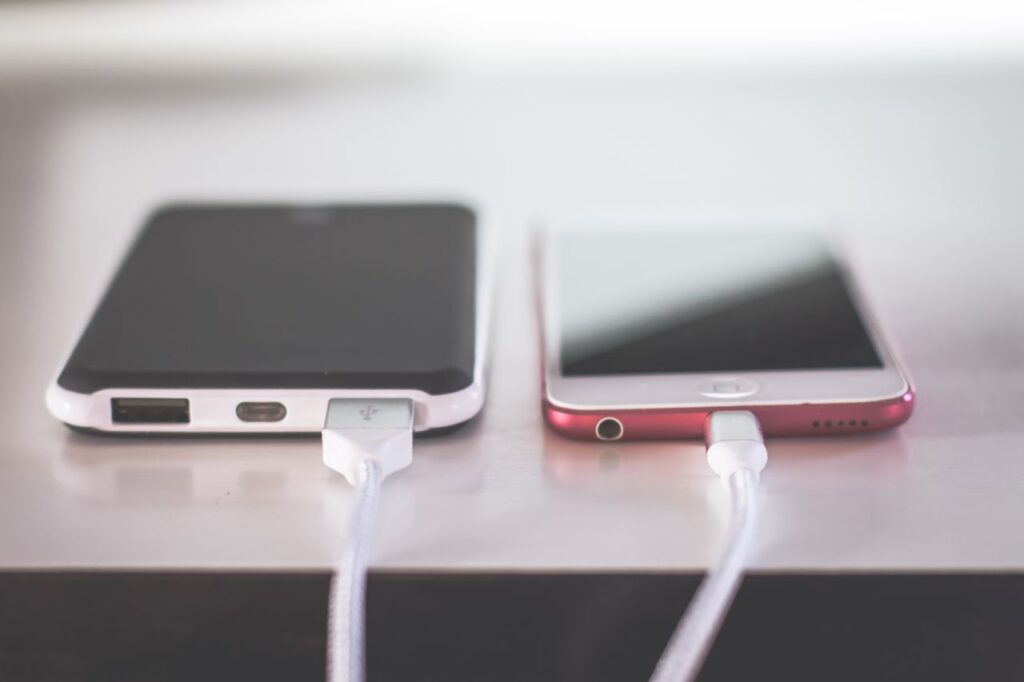
If the phone has cooled down but feels warm again as soon as you start using it, give it more time before returning to heavy tasks. Starting a game or video call immediately after a heat warning can quickly bring it back to the same temperature.
What not to do
- Don’t put it in the fridge or freezer. Rapid temperature changes can cause condensation inside the phone, which can damage components.
- Don’t use ice packs directly on the phone, for the same reason.
- Don’t run it under cold water, even if it’s water resistant. Water resistance doesn’t protect against sudden temperature shocks, and hot water or temperature extremes can affect seals.
- Don’t cover it with blankets, pillows or put it in a closed bag while it’s hot.
- Don’t keep charging it while it’s very hot.
Gentle, gradual cooling is the safest approach.
Temperature shock is a real risk for electronics. When a hot phone is suddenly cooled, moisture in the air can condense inside it, just as water droplets form on a cold glass on a summer day. That moisture can reach circuits and cause corrosion or short circuits later, which is exactly what you are trying to avoid.
If you are outdoors on a hot day and the phone overheats, the best you can do is put it in a shaded bag or pocket away from your body heat, switch it off and wait. Once you are back indoors, it will cool down much faster on its own.
Understanding temperature warnings
On iPhone, if the phone gets too hot, you may see a Temperature screen saying the iPhone needs to cool down before you can use it. Only emergency calls are available. Leave it alone in a cooler place until the warning disappears.
On Android, warnings vary by manufacturer. You might see messages like Phone is overheating, Charging paused or notifications that certain features are limited. Samsung phones may show a warning and automatically close apps.
When you see a warning, follow the cooling steps above and give the phone time. Don’t try to force it to keep working.
If these warnings appear often, treat them as a message from your phone that something in your routine needs to change. Look at when and where they happen. Is it always during a certain game? Always in the car? Always while charging on the bed? The pattern usually points to the solution.
Some phones also record when they get too hot. On many Android phones, the battery or device care section shows recent heat events or explains why charging was paused. Checking it after a warning can help you understand what triggered the problem, especially if it happened while you were not looking at the phone.
How to prevent overheating
Manage your environment
- Keep your phone out of direct sunlight, especially at the beach, by the pool or on a car dashboard.
- Don’t leave it in a parked car on hot days.
- Use air vent mounts in the car instead of windshield or dashboard mounts when navigating in summer, so the phone gets airflow.
Be smart about charging
- Avoid heavy use while fast charging, especially gaming and video calls.
- Charge on a hard surface, not on beds or sofas.
- Remove thick cases while charging if the phone gets warm.
- Use quality chargers and cables from reputable brands.
- Turn on battery protection features like optimized charging and charging limits.
Manage demanding apps
- Take breaks during long gaming sessions.
- Lower graphics settings in games if they offer them.
- Reduce screen brightness when possible.
- Close apps you’re not using, especially games, camera and navigation.
Keep software updated
Updates often include fixes for bugs that cause excessive battery drain and heat. Keep both your phone’s operating system and your apps updated.
Check for misbehaving apps
If your phone gets hot while idle, check battery usage in Settings, then Battery. An app using lots of battery in the background may be the culprit. Update it, restrict its background activity or uninstall it.
Watch your signal
In areas with weak signal, use Wi-Fi when available, turn on Wi-Fi calling and consider Airplane Mode in places with no useful signal at all.
For gamers specifically, many Android phones include a game mode or game booster that lets you limit frame rates, reduce resolution or prioritize stable performance over maximum speed. These settings often reduce heat significantly with only a small difference in how the game looks. On iPhone, lowering in-game graphics settings achieves a similar effect.
Video calls deserve a mention too. A long video call uses the camera, screen, processor and network all at once. If you know a call will last a long time, consider propping the phone up on a stand away from direct light, connecting to Wi-Fi rather than mobile data and lowering screen brightness.
Finally, consider the case you use day to day. A slim case made of a material that lets heat pass through is often a good compromise between protection and cooling. If you love a thick rugged case for its protection, simply get into the habit of taking it off for long charging sessions or gaming.
Why heat matters for your battery
Heat is one of the biggest factors in battery aging. Repeated exposure to high temperatures speeds up the chemical processes that reduce a lithium-ion battery’s capacity. A phone that frequently overheats may see its battery health decline faster than one kept cool.
This is why manufacturers build so many heat protections into their phones and why keeping your phone cool is one of the best things you can do for its long-term health.
Think of it like a car engine. Running it hot once in a while will not ruin it, but running it hot every day wears it out faster. Keeping your phone cool most of the time is the simplest way to make sure the battery still holds a good charge in two or three years.
When to get professional help
Some signs indicate a more serious problem:
- The phone overheats frequently while idle, even after updates and app checks.
- It gets very hot during normal charging with a quality charger.
- The battery is swollen, causing the screen or back to bulge or lift.
- There’s a burning smell or visible damage.
- The phone shuts down repeatedly due to heat in normal conditions.
If you notice any of these, stop using and charging the phone, and contact the manufacturer or an authorized service provider. A swollen battery is a safety risk and should be replaced professionally.
Even if you do not see obvious signs, consider having the battery checked if your phone is several years old and overheats more than it used to. An aging battery that runs hot is not just less efficient. It can also make the whole phone feel slower, since the phone throttles performance to protect itself.
Frequently asked questions
Is it normal for my phone to get warm while charging?
Yes, some warmth is normal, especially with fast or wireless charging. It shouldn’t become too hot to hold comfortably.
Can overheating damage my phone permanently?
Occasional heat is managed by the phone’s protections. Repeated or extreme heat can shorten battery life and, in rare cases, damage components.
Why does my phone get hot while gaming?
Games use the processor and graphics chip intensively, generating a lot of heat. Taking breaks, lowering graphics settings and removing thick cases helps.
Should I buy a phone cooler?
Clip-on phone coolers with fans can help during long gaming sessions. For everyday use, they’re usually unnecessary.
Why does my phone get hot in my pocket?
It may be running background tasks, searching for signal or experiencing a software issue. Check battery usage for apps active in the background.
Can a case cause overheating?
Thick or insulating cases can trap heat. Removing the case during heavy use or charging can help the phone cool down.
When you take the phone in for service, mention how often it overheats, under which conditions and whether it has been dropped or exposed to water. These details help the technician diagnose the problem faster and decide whether the battery, the charging port or another component is responsible.
Final thoughts
A warm phone is normal, but an overheating phone needs attention. Cool it down gradually by stopping heavy use, unplugging it, removing the case and moving it to a cooler place, never the fridge. Prevent overheating by avoiding direct sun and hot cars, charging smartly, managing demanding apps and keeping software updated. If your phone overheats frequently or shows signs of a damaged battery, get it checked by a professional. Your phone, and its battery, will thank you.
If you take one thing away from this guide, let it be this: heat is the hidden enemy of phones. Most of the time you will not notice it doing damage, but small daily choices about where you leave your phone and how you charge it add up over months and years. Treat your phone a little like you would treat yourself on a hot day, with shade, fresh air and a break when needed.
Leave a Reply