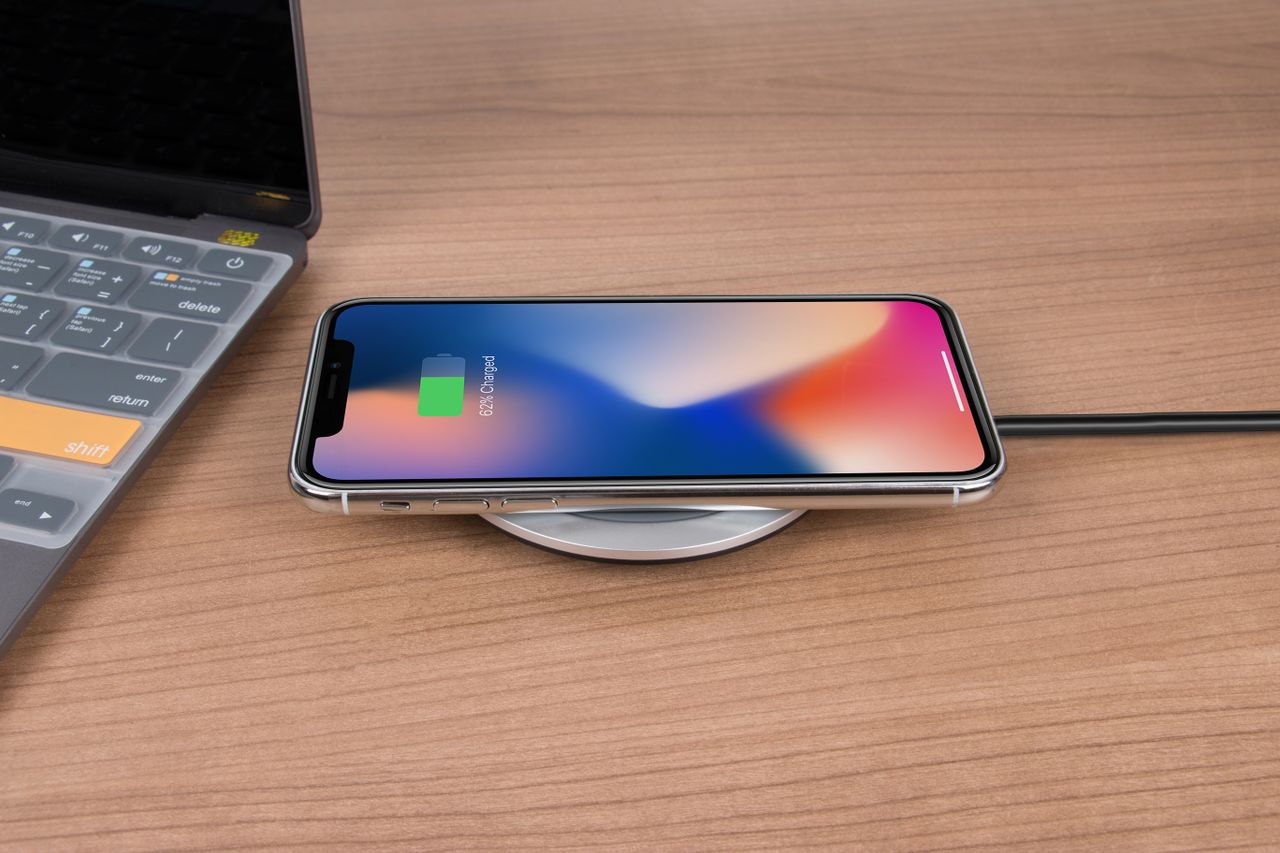
There’s something satisfying about putting your phone down on a pad and watching it start charging without fumbling for a cable in the dark. Wireless charging has become standard on most mid-range and flagship phones, and chargers are now built into cars, desks, furniture and even some cafes.
But wireless charging also comes with questions. Is it slower? Does it waste energy? Does the extra heat damage your battery over time? Do you need a special charger, and what about cases and magnets? If you’ve wondered whether wireless charging is worth it, or whether you should stop using it, you’re not alone.
In this guide, we’ll explain how wireless charging works, how it compares to wired charging in speed and efficiency, what it means for battery health, how to choose a good wireless charger and the habits that make it safe and convenient. By the end, you’ll know exactly when wireless charging makes sense and when a cable is still the better option.
📋 Table of Contents
- How wireless charging works
- The Qi standard and magnetic chargers
- Wireless vs wired charging: speed
- Wireless vs wired charging: efficiency
- Does wireless charging damage your battery?
- Advantages of wireless charging
- Disadvantages of wireless charging
- How to choose a good wireless charger
- Habits that make wireless charging better
- Reverse wireless charging
- Frequently asked questions
- Final thoughts
We will keep things practical. You do not need to understand electromagnetic theory to make good decisions about charging. You just need to know a few key facts about speed, heat and compatibility, and a handful of habits that make a real difference over the life of your phone.
How wireless charging works
Wireless charging on phones uses a technology called inductive charging. Inside the charging pad, there’s a coil of wire. When electricity flows through it, the coil creates a magnetic field. Your phone has its own coil, and when it sits close enough to the pad, that magnetic field induces a current in the phone’s coil, which then charges the battery.
The key word is close. The coils need to be aligned and only a short distance apart. If the phone is slightly off center, too far from the pad or separated by a thick case, charging becomes slower, less efficient and warmer.
This is why the position of your phone matters so much on a basic flat pad. If you have ever put your phone down at night and woken up to find it barely charged, it was probably slightly off center. The phone may have charged slowly, stopped and started repeatedly, or not charged at all. Magnetic chargers were created largely to solve this exact problem.
The Qi standard and magnetic chargers
Most phones and chargers use the Qi standard, developed by the Wireless Power Consortium. Qi ensures that a charger from one brand works with a phone from another brand.
A newer version of the standard, Qi2, adds magnets that snap the phone into the correct position, much like Apple’s MagSafe system. This solves the alignment problem, which improves efficiency and reduces heat. Qi2 also supports faster charging than older basic Qi chargers.
In practical terms:
- iPhones from iPhone 8 onward support Qi wireless charging. iPhone 12 and later also support MagSafe magnetic charging, and recent models support Qi2.
- Many Android phones support Qi charging. Some newer models support Qi2 directly, while others work with magnetic chargers using a magnetic case.
- Some phone makers also have their own faster proprietary wireless charging that works at full speed only with their own chargers.
If you are not sure what your phone supports, look up its specifications on the manufacturer website and search for wireless charging. You will usually find the supported standard and maximum wireless charging speed listed clearly. That tells you which chargers will work best and helps you avoid paying for speed your phone cannot use.
Magnets also make wireless charging more practical in the car. A magnetic car charger holds the phone securely on bumpy roads while keeping it aligned for charging, which basic pads in car cup holders often fail to do. If you use navigation every day, it is one of the most useful wireless accessories you can buy.
Wireless vs wired charging: speed
In general, wired charging is faster. A good USB-C charger can deliver more power to your phone than most wireless chargers, and with less energy lost along the way.
Typical basic Qi chargers deliver modest power, enough to charge a phone overnight or top it up during the day, but noticeably slower than fast wired charging. Magnetic chargers and Qi2 chargers are faster, and some brand-specific wireless chargers can be quite fast with compatible phones. Even so, wired fast charging usually wins when you need a lot of battery in a short time.
Wireless charging also tends to slow down when the phone gets warm, which is more common than with wired charging.
In everyday life, though, speed is not always what matters. If you charge overnight or top up at your desk throughout the day, the difference between wired and wireless speed may not affect you at all. Your phone will still be full when you need it. Speed matters most when you are in a hurry and need a big boost in a short time.
Wireless vs wired charging: efficiency
Wireless charging is less efficient than wired charging. Some energy is lost as heat in the coils, especially when they aren’t perfectly aligned. This means wireless charging uses a bit more electricity from the wall to deliver the same amount of charge to your phone.
For a single phone, the extra cost in electricity is very small. But the wasted energy shows up as heat, and that matters more for your battery than for your electricity bill.
To put the efficiency difference in perspective, imagine filling a bucket through a funnel versus pouring it straight in. Both fill the bucket, but the funnel spills a little along the way. Wireless charging is the funnel. For everyday use, that spill is minor, but it is the reason wireless charging produces more warmth.
Does wireless charging damage your battery?
Wireless charging itself doesn’t damage batteries. The concern is heat. Batteries age faster when they spend a lot of time at high temperatures, and wireless charging generally makes phones warmer than wired charging, especially when:
- The phone is misaligned on the pad.
- A thick case sits between the phone and the charger.
- The charger is in a warm place or under a pillow.
- You use the phone heavily while it charges wirelessly.
- The charger is low quality and poorly designed.
Modern phones and good chargers are designed to manage this. Phones monitor temperature and slow charging when needed. Many also use optimized or adaptive charging to pause at around 80 percent overnight, which reduces the time spent both warm and fully charged.
So the honest answer is: occasional or even daily wireless charging is fine for most people, especially with a good charger and the right habits. If maximum battery longevity is your top priority, a moderate wired charge with battery protection turned on is the gentlest option.
A good rule of thumb: if your phone feels warm to the touch on the charger, that is normal. If it feels hot or uncomfortable, something is not right. Check the alignment, remove the case and move the charger to a cooler place. If it still runs hot, try a different, certified charger.
It is also worth knowing that many phones automatically slow wireless charging when they reach a certain temperature. If you notice your phone charging more slowly than expected on warm days, that is a protective feature doing its job, not a sign that your charger is broken.
There is also a simple test you can do at home. Charge your phone wirelessly one night and with a cable the next, then compare how warm it feels in the morning and how fast it charged. If both are fine, you can use whichever is more convenient. If wireless runs noticeably hotter, check your charger, case and alignment before deciding wireless charging is not for you.
Advantages of wireless charging
- Convenience. Just set your phone down. No cables to plug in, especially handy at night or at your desk.
- Less wear on the charging port. Fewer plug and unplug cycles mean less wear and less lint packed into the port.
- Tidier spaces. One pad on a nightstand or desk looks cleaner than cables everywhere.
- Shared chargers. A single Qi pad can charge different phones and many earbuds.
- Topping up throughout the day. Placing your phone on a pad whenever you sit at your desk keeps the battery healthy and topped up without thinking about it.
For many people, the biggest benefit is simply habit. When charging is as easy as putting your phone down, you naturally top it up more often throughout the day. That means fewer moments at 5 percent and less need for long, hot fast-charging sessions when the battery runs low.
Disadvantages of wireless charging
- Slower than fast wired charging.
- Less efficient, producing more heat.
- Positioning matters, especially with non-magnetic pads.
- Harder to use while charging, since lifting the phone stops charging, unless you use a stand.
- Thick cases, metal plates and pop sockets can block or slow charging.
None of these disadvantages are deal breakers for most people. They simply mean wireless charging is best suited to situations where convenience matters more than speed, like overnight charging, desk top-ups and car journeys, while a cable remains the better tool when you need a lot of power fast.
It is also worth thinking about your phone case before committing to wireless charging. Many rugged cases and wallet cases are too thick or contain metal plates. If you love your current case, check whether it is labeled as wireless charging compatible before buying a new charger.
How to choose a good wireless charger
Choose certified chargers
Look for chargers that are Qi or Qi2 certified, or MagSafe certified for iPhones. Certification means the charger passed tests for safety, compatibility and foreign object detection, which stops charging if something like a coin or key is on the pad.
Consider magnetic alignment
Magnetic chargers, whether Qi2 or MagSafe, keep your phone in the right position, which improves speed and reduces heat. If your phone supports magnets or you use a magnetic case, they’re a great choice.
Pick the right shape
- Flat pads are simple and compact, great for nightstands.
- Stands hold the phone upright so you can see the screen, use Face ID or watch videos while charging.
- Multi-device chargers can charge a phone, earbuds and a watch at once.
- Car chargers combine a mount with wireless charging. Choose one that allows airflow from the vents.
Use the right power adapter
Many wireless chargers need a specific power adapter wattage to reach their rated speed. A powerful charger plugged into a weak adapter will charge slowly. Check the charger’s requirements.
Avoid very cheap chargers
Very cheap, uncertified chargers may lack temperature control and foreign object detection, and they may run hot. With something that sits under your phone every night, quality matters.
Before buying, read reviews that mention heat and real charging speed, not just the number on the box. A charger that claims high wattage but runs hot and throttles quickly may end up slower in practice than a well-designed charger with a more modest rating.
If you have several Apple devices, a multi-device charger that handles your iPhone, AirPods and Apple Watch together can simplify your nightstand dramatically. Android users can find similar multi-device chargers designed for phones, earbuds and smartwatches from various brands.
Habits that make wireless charging better
- Center your phone on the pad, or use a magnetic charger.
- Remove thick cases if your phone gets warm.
- Remove metal accessories, like magnetic car mount plates, card holders and pop sockets, which can block charging.
- Keep the charger in a cool, open spot, not under pillows or blankets.
- Avoid heavy use while charging wirelessly, like gaming or video calls.
- Turn on battery protection features, such as Optimized Battery Charging on iPhone or adaptive and protective charging on Android.
- Use wired charging when you need speed, and wireless charging for convenience.
A simple routine that works well for many people: a wireless pad on the nightstand with optimized charging turned on, a wireless stand at the desk for topping up during the day, and a quality wired fast charger in your bag for the occasional emergency. You get convenience most of the time and speed when you need it.
If your phone stops charging or shows a warning on the pad, lift it, check for anything between the phone and the charger, like a coin, key or card, and place it again. Foreign object detection in certified chargers is designed to stop charging in these situations to prevent heat buildup, which is exactly what you want.
Finally, keep your wireless charger clean. Dust and small particles on the charging surface do not usually stop charging, but a clean, flat surface helps the phone sit properly and makes alignment easier, especially on non-magnetic pads.
Reverse wireless charging
Some Android phones can wirelessly charge other devices, like earbuds, a watch or even another phone, by placing them on the back of the phone. It’s convenient in an emergency, but it’s slow and inefficient, and it drains your phone’s battery. Use it for small top-ups, not as a regular charging method.
Reverse wireless charging can be a lifesaver when your earbuds die halfway through a flight or your friend phone is at 1 percent. Just remember to keep both devices still and centered, and turn the feature off afterwards, because some phones leave it on and it can slowly drain your battery if something metallic touches the back of the phone.
Frequently asked questions
Is wireless charging bad for my phone?
Not inherently. It produces more heat than wired charging, and heat can speed up battery aging. With a good charger, proper alignment and battery protection features, it’s safe for everyday use.
Why does my phone get hot on a wireless charger?
Common reasons include misalignment, a thick case, a low-quality charger, a warm environment or using the phone while it charges. Try centering the phone, removing the case and moving the charger to a cooler spot.
Can I use any wireless charger with my phone?
Most Qi chargers work with most Qi-compatible phones. For the best speed, use a charger that matches your phone’s supported standard, such as Qi2, MagSafe or your brand’s own fast wireless system.
Does my case affect wireless charging?
Thin cases usually work fine. Thick cases, metal parts, magnets not designed for charging, card wallets and pop sockets can slow or block charging.
Can I leave my phone on a wireless charger overnight?
Yes. Your phone stops charging when full, and optimized charging features reduce time spent at 100 percent. Keep the charger in a cool, open place.
Is wireless charging slower than wired?
Usually, yes. Wired fast charging is generally faster and more efficient. Magnetic and Qi2 chargers narrow the gap.
Final thoughts
Wireless charging trades a bit of speed and efficiency for a lot of convenience. With a certified charger, good alignment, no thick case and battery protection turned on, it’s a safe, comfortable way to keep your phone topped up at home, at work and in the car. When you need a quick boost, reach for a cable. When you just want to set your phone down and forget about it, wireless charging is hard to beat.
If you are deciding whether to buy your first wireless charger, start with a certified magnetic or Qi2 charger if your phone supports it, or a well-reviewed Qi stand if it does not. Use it at your desk or nightstand for a few weeks. Most people quickly find it becomes one of those small upgrades they would never want to go back from.